
Find that page you saw — even after you closed it
SpotRecall quietly indexes the pages you visit and lets you recall any of them from a fast command palette — by keyword, by meaning, and across languages. The AI runs on your device; your pages and queries never leave it.
Ctrl+H is a log. SpotRecall is a memory.
You know you saw that page — the GitHub issue with your exact stack trace, the post that fixed your build, the product you compared last week. Browser history gives you a wall of near-identical titles. SpotRecall lets you search the way you actually remember: by keyword, by meaning, and across languages.
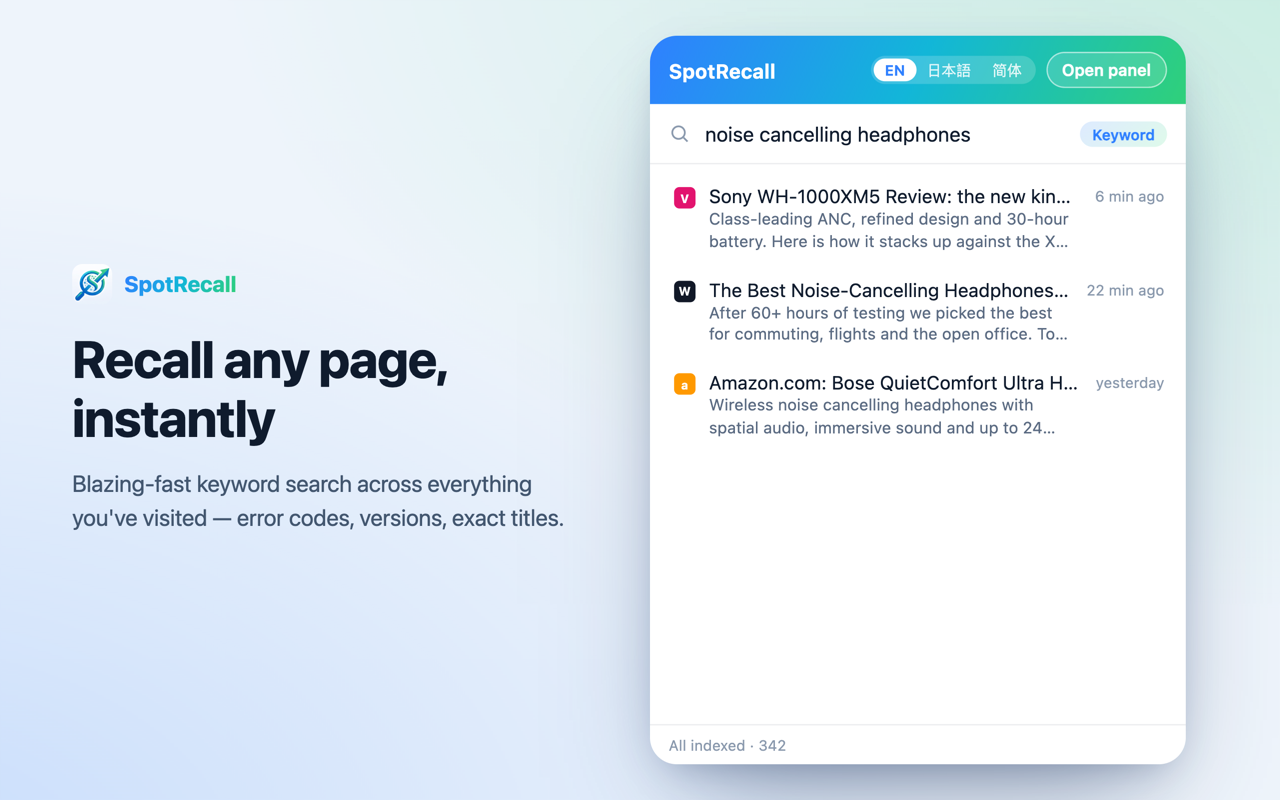
⌘ Recall by keyword
BM25 keyword search nails the exact stuff — error codes, version numbers, URLs — instantly, and works offline from the moment you install.
✦ Recall by meaning
An on-device embedding model adds semantic search, so “that article about cutting cloud costs” finds the page even if those exact words never appear in it.
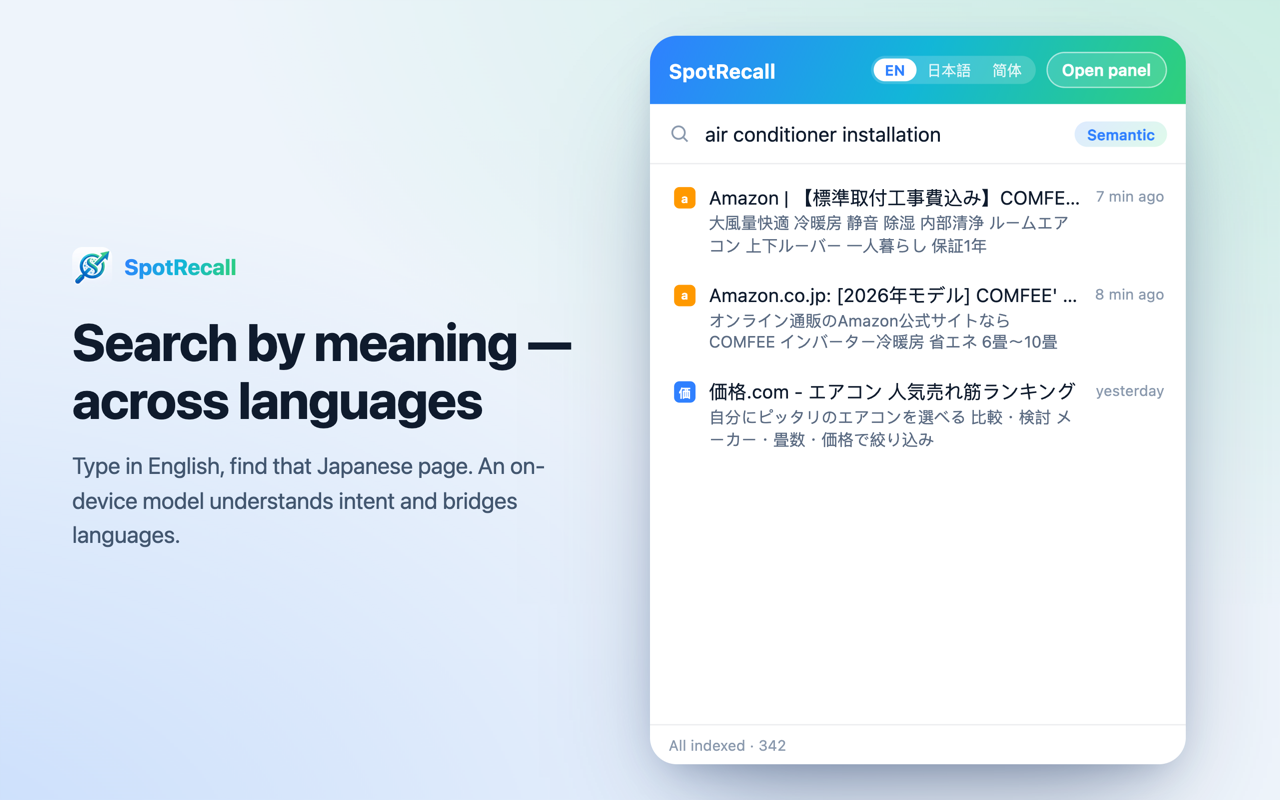
文 Across languages
Where your browser provides on-device translation (Chrome 138+), your query is translated locally before searching — type in English and find the Japanese page you read.
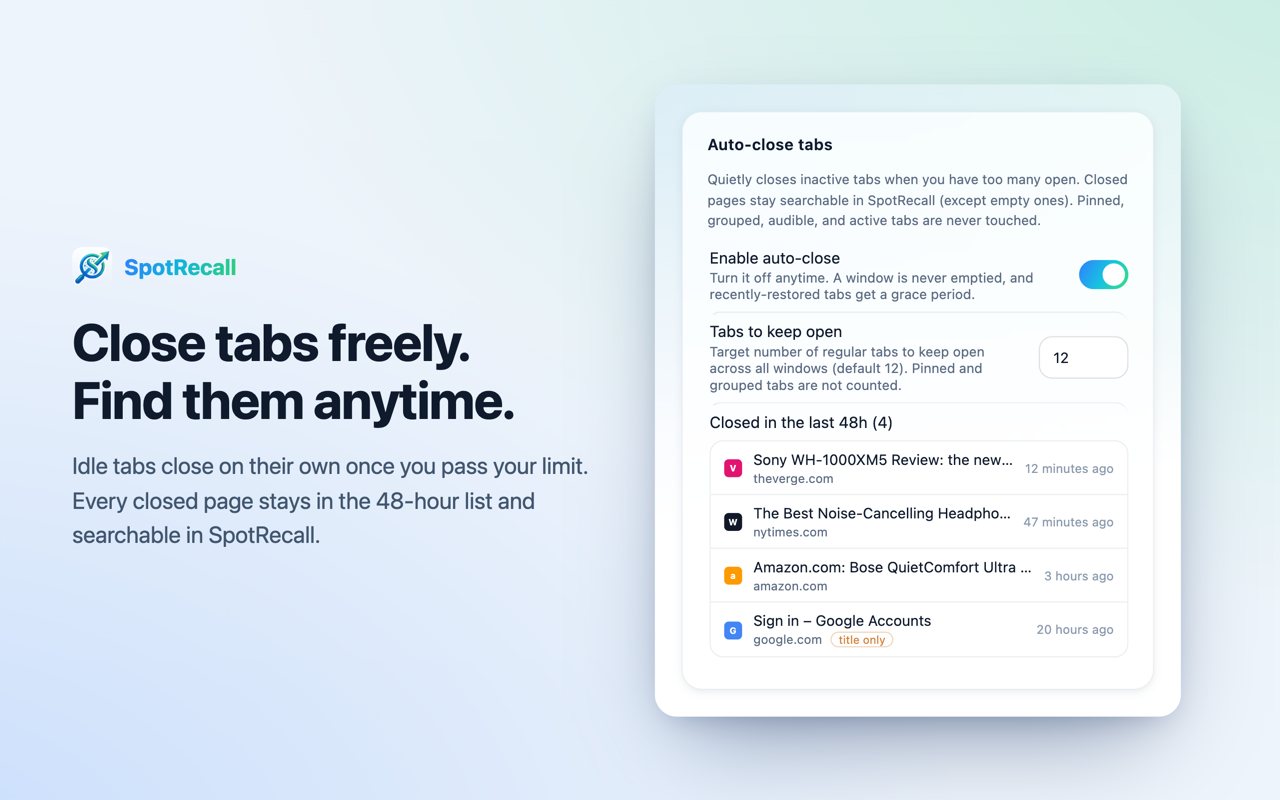
▤ Keep tabs tidy
SpotRecall closes the tabs you are not using once you exceed your chosen limit. Pages are indexed first, so they stay searchable. Active, pinned, grouped, audible and form-filled tabs are never closed, and every closed tab is one click away for 48 hours.
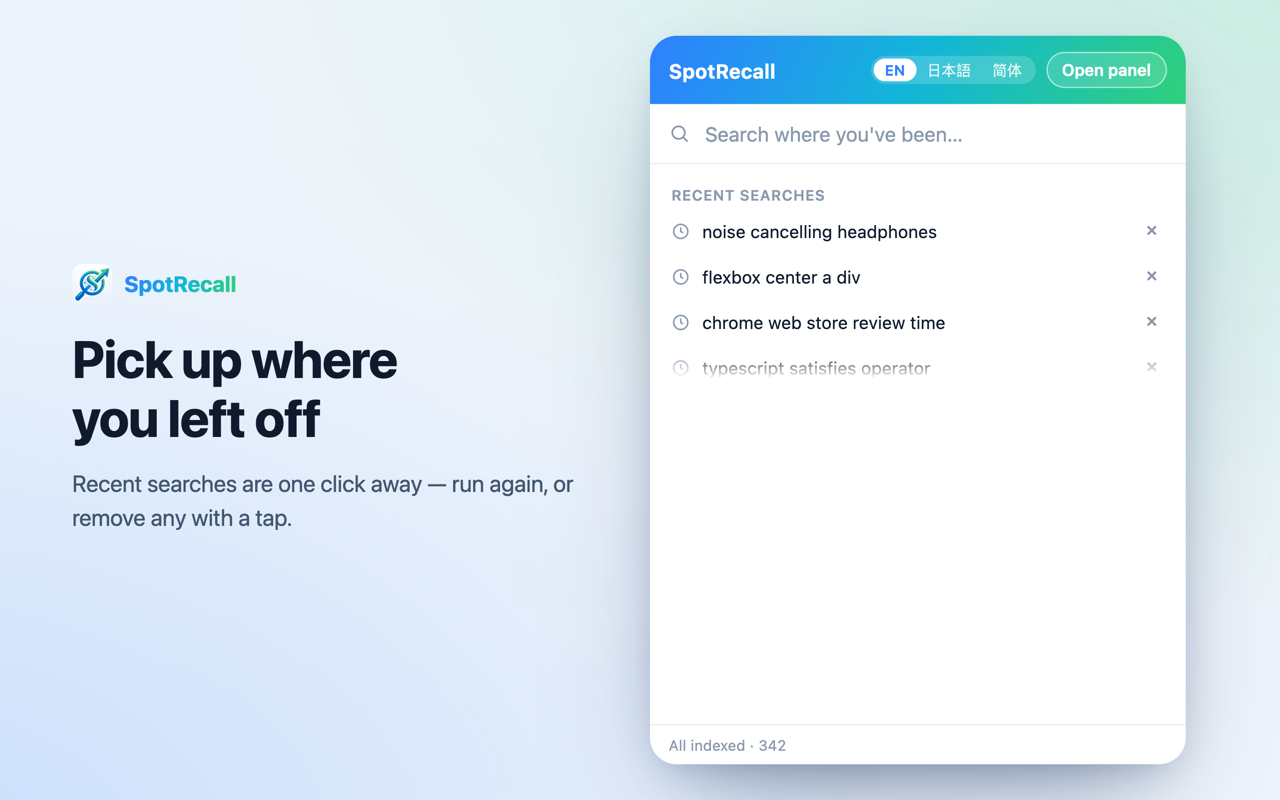
↺ Recent pages & searches
Open the palette with an empty query to see your recent searches and recently visited pages grouped by time — today, yesterday, this week.
◆ Free & open source
No account, no sign-up, no subscription, no ads, no telemetry. The full source is on GitHub under AGPL-3.0 — privacy claims you can read line by line.
See it in action
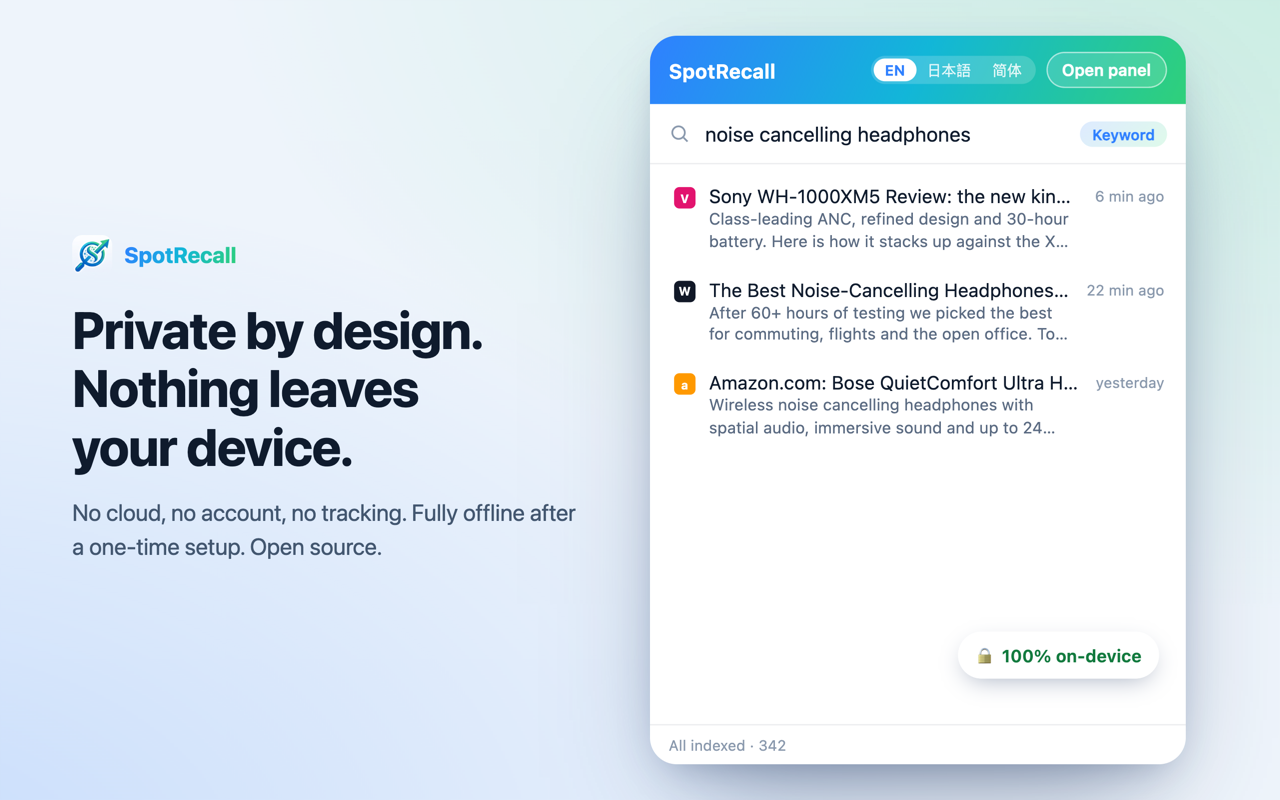
Every screenshot is a real render of the extension UI.
Your data stays on your machine
SpotRecall is a privacy tool first. Here is exactly what it does — and what it never does.
What it stores, and where
- ✓Page text, titles, URLs and timestamps go into a local database on your computer.
- ✓Stored in plaintext — the same exposure as your browser history. No fake “encryption” theatre.
- ✓One record per top-level page. Readable same-origin embedded content may be included; cross-origin frames are never read.
What it never does
- ✗No cloud sync, no SpotRecall account, no server to send data to.
- ✗No analytics or telemetry, no ads, no selling or sharing of your data.
- ✗Never captures incognito windows or blocklisted sites; passwords and credit-card fields are excluded from captured text.
About that permission warning
Chrome will say SpotRecall can “read your data on all websites”. That is what a history-search tool has to do — it reads the text of pages you visit so it can index them locally. Here is what actually happens when you install:
- 1Right away, SpotRecall seeds a local index from your bookmarks and your currently open tabs — titles and URLs only, nothing is fetched. You can search those immediately.
- 2It does not import your past browsing history. Full-text indexing starts with the pages you visit from now on, and only for pages you actually engage with (scroll or interact).
- 3Semantic search is optional and off until you enable it. Turning it on downloads a multilingual model (~135 MB) once from a public model host; after it is cached, semantic search works offline.
Every network request this extension can make
- 1One-time model download. When you first enable semantic search, SpotRecall downloads a public embedding model (~135 MB) from a public model host. Only the public model file is fetched — none of your browsing data is sent. Afterwards it is cached and works offline.
- 2Browser translation language pack. Cross-lingual search uses the browser's own on-device Translation API; the browser may download a language pack. SpotRecall sends nothing.
That is the complete list. Full policy: PRIVACY.md · Source: github.com/dqj1998/SpotRecall
How to verify it is offline yourself
Don't take our word for it. Three steps, about five minutes.
- Install SpotRecall, open DevTools → Network, and use keyword search. You should see no requests — keyword search works offline from install.
- Enable semantic search once and watch the Network panel. The only request is the one-time model download from the model host — and no browsing data travels with it.
- Turn off Wi-Fi / unplug the network and search again. Both keyword and semantic search keep working because everything is cached locally.
FAQ
Does SpotRecall send my data anywhere?
No. Page text, titles, URLs and timestamps are written to a local database on your computer and are never uploaded. The only network uses are the one-time public model download and the browser's own on-device translation language pack — neither carries your browsing data.
Does it import my past browsing history?
No. Right after install it seeds a local index from your bookmarks and your currently open tabs — titles and URLs only. Full-text indexing starts with the pages you visit from now on, and only for pages you actually engage with rather than every tab you flash past. So the index gets more useful over the first few days.
Is it really free?
Yes. SpotRecall is free, with no account, no subscription, no ads and no telemetry. It is open source under AGPL-3.0, so you can audit every claim in the source.
Does it work in Edge and other browsers?
SpotRecall installs and runs in Chrome, Edge and other Chromium browsers. Cross-lingual search depends on the browser's on-device Translation API, which is available in Chrome 138+; elsewhere it quietly falls back to same-language search.
What happens in incognito windows?
Nothing is ever captured in incognito. You can also pause capture, blocklist any site, export a ZIP backup, or erase everything with one click — at any time.
Is the model download required?
No. Keyword (BM25) search works offline from install. The semantic model is optional; without it, keyword search and cross-lingual keyword search still work.
Get SpotRecall
Free, private, and open source. Works in Chrome and Edge.